
Here’s a Trick to Quickly Share a Camera’s Best Vacation Photos
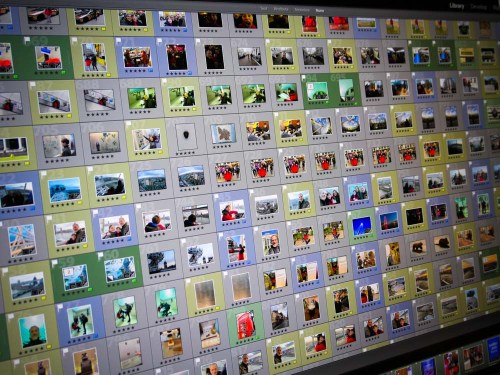
If you’re not using your smartphone to take your vacation pictures, you may quickly get the feeling that they’re trapped on your camera’s memory card. Here’s how to quickly get them ready to share with family and friends…
So my family and I were visiting friends across town and catching up, since they had just returned from their vacation visiting relatives in Italy.
Of course, the major topic of conversation during dinner was their big trip. And what’s a good story without a few accompanying photos?
Inevitably, an iPhone XS materialized, and the Lesters were transported to the streets of Pompeii. My wife and I leaned in and our nine-year-old son ran around the table to see the images of our friends standing in an ancient city, frozen in time by the brutal force of Mount Vesuvius.
The impromptu presentation was effortlessly supported by the mom’s index finger flicking through her photos’ app on her iPhone. Some of the photos were absolutely amazing. And this raw collection completely captured their experience.
Several times, I turned my gaze to the dad who was sitting on the other side of the table.
He peered at me and said with a smile, “I’ve got better pictures.”
I nodded and returned the smile.
(But I wondered if he was experiencing a feeling of slight betrayal by technology that hadn’t quite lived up to expectations.)
And then we all turned our gaze back to the glow of his wife’s iPhone.
Time is Your Enemy
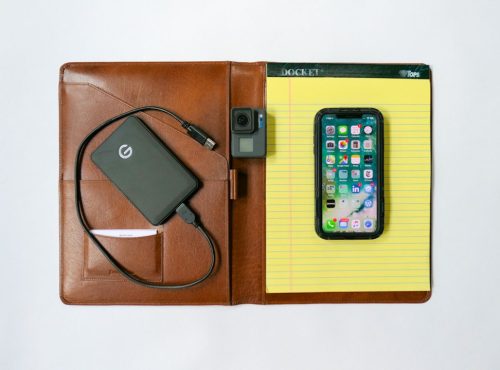
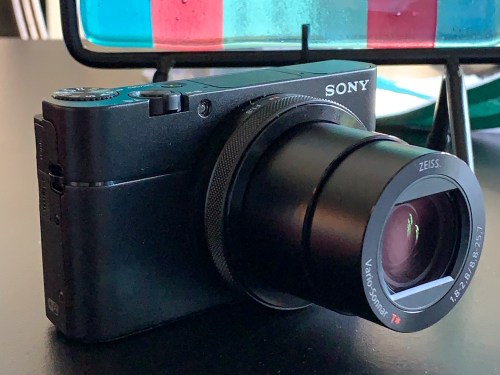
Here’s the backstory… The dad had traveled to Italy equipped with a brand-new Sony RX-100 VA camera as well as a GoPro HERO7 Black. I believe those are among the best tools available to visually capture a family’s vacation.
And I had complete faith that he had, in fact, captured a collection of outstanding photos that would have humbled any iPhone’s camera.
But in that moment at the dinner table, I knew that my friend had fallen victim to one of the classic limitations of the strategy I usually follow on how to handle a fresh crop of vacation photos…
- Take loads of photos with a high-quality camera
- Download them onto your computer at home
- Choose the best ones
- Tweak them to make them even better with software like Adobe Lightroom
- Then share your winners with your family and friends to enjoy
The crippling limitation to this plan is that it takes time.
(Depending on your post-trip availability, that could take days or weeks.)
The Unbeatable Smartphone Experience
The mom’s iPhone (which arguably took pretty good pictures) effortlessly made mincemeat of the dad’s superior photo gear due to the immediate shareability of its photos.
Sure, I guess you could try to whip out the RX100 VA or GoPro and flick through your photos, but it’s always easier to use a smartphone that’s right next to you.
So, how can a noble family photographer with all of the right gear and best intentions beat the instant satisfaction that smartphone photography provides today?
Tick Tock
First off, I think it’s okay to say that this is not only about immediate gratification. Amazing photos not born from smartphones can still find their moments to shine… in photo frames…. in photo books…
and in cloud family photo archives.
And if you work fast enough, you can still get them ready for prime time in time to ensure they’re still relevant for your social media feeds and even, dare I say… your next dinner party.
But it’s always going to be an uphill battle fighting time…
Don’t Fight It
All of this said, there’s a solution that will mostly solve this conundrum.
The trick is to willingly give into the power of your smartphone. For a moment, think of it not as a device that takes instantly-sharable photos, but only as a tool that can instantly share any photo file. If you could wirelessly add photos from other cameras into your smartphone, then you’d be able to instantly share those as well…
(Do you see where I’m going?)
Yes, you may feel like a young Jedi giving into the ‘Dark Side’ or a misguided sorcerer drawing power from the Dark Dimension like the Ancient One did. But hey, you’re not in the Marvel universe… you’re just trying to share some vacation photos!
I say ditch all of your post-vacation photo organization plans and do this instead while you’re still on your trip…
Transfer Your Photos Wirelessly to Your Smartphone
Many of today’s standalone cameras have Bluetooth or Wi-Fi capabilities that allow you to tether them to your smartphone. Once you activate that feature, you can easily transfer some of your key photos from your camera’s card onto your smartphone.
The key word here is ‘some.’
(I don’t think you want to be transferring hundreds of photos over.)
And once they’re on your smartphone, it’s a game changer, baby!
Now, just find a few opportunities during your vacation to quickly review your photos and simply pick out a few winners. Then send them over to your smartphone, and BAM! you’re in business…
If you miss a few winning photos, it doesn’t matter… You’ll find them later when you ‘officially’ go through them.
(Warning: May require weeks of work)
When you get home, you’ll already have a few of your best photos ready to share at the dinner table with your smartphone simply serving as your projection device.
A Solution Forged from the Power of Your Phone and Camera
So really, it boils down to simply taking a few minutes while on vacation to move a few photos from your camera over to your smartphone’s ecosystem.
And by doing that, you’re marrying the power of your superior camera with the unbeatable convenience that any smartphone provides.
I imagine there’s a day coming when one device will be powerful enough to do both…
Until then, just remember this trick, and you’ll always be ready to show off some of your best vacation photos at a moment’s notice!



 At Home with Tech